Free VoIP Software for Personal Computers

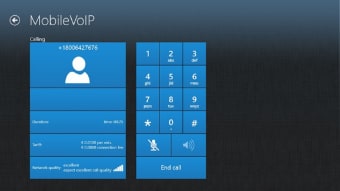
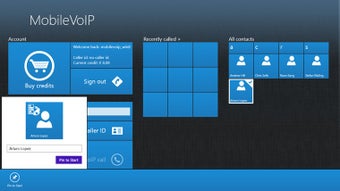
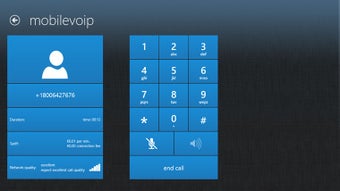
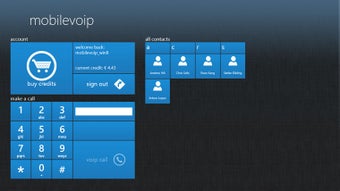
In order to avoid excess charges, individuals often use VoIP software to speak with friends and family. MobileVOIP for Windows 10 offers a host of user-friendly options and it is free to install.

Top Recommended Alternative

Features of a VoIP System

MobileVOIP for Windows 10 employs what is known as voice over Internet Protocol. In other words, it utilizes a wireless connection in order to place a digital call. This can save a great deal of money and avoid potential long-distance charges. The audio and video feeds also tend to be quite clear; not always the case with traditional landlines. Additionally, a number of security features are used in order to avoid prying eyes during a transmission. Like many other VoIP providers, there is no charge to install this bundle.

Additional User Information

It is possible to access a number of free destinations when using MobileVOIP for Windows 10. If the intended recipient is not found within one of these areas, the calling rates are nonetheless dramatically reduced. This program is meant for personal computers and it will require 3.35 megabytes of free memory space.

  • Pros

    • Much less memory is needed when compared to other systems such as Skype.

    • Users can enjoy calls with much lower rates.

  • Cons

    • Some have complained that changing the settings can be difficult.
    • There are not as many options as more advanced VoIP platforms on the market.
 0/8

App specs

  • License

    Free

  • Version

    1.03

  • Latest update

  • Platform

    Windows

  • OS

    Windows 11

  • Language

    English

    Available languages

    • Arabic
    • Chinese
    • Dutch
    • English
    • French
    • German
    • Italian
    • Japanese
    • Korean
    • Polish
    • Portuguese
    • Russian
    • Spanish
    • Swedish
    • Turkish
  • Downloads

    74.9K

    Last month's downloads

    • 19
  • Developer

Program available in other languages


User reviews about MobileVOIP for Windows 10

Have you tried MobileVOIP for Windows 10? Be the first to leave your opinion!

Add review

You may also like

Alternatives to MobileVOIP for Windows 10

Explore Apps

Latest articles

Laws concerning the use of this software vary from country to country. We do not encourage or condone the use of this program if it is in violation of these laws.
Softonic

Is MobileVOIP for Windows 10 safe?

100/100

Score result: Clean

This file passed a comprehensive security scan using VirusTotal technology. It is safe to download.

  • Virus free
  • Spyware free
  • Malware free
  • Verified by Security Partners

    VirusTotal logo

Scan Info

Last scan
Wednesday, June 5, 2024
Scan provider
VirusTotal

Softonic security commitment

MobileVOIP for Windows 10 has been thoroughly scanned by our advanced security systems and verified by industry-leading partners. This file comes from the official developer and has passed all our security checks, showing no signs of viruses, malware, or spyware. For more information, visit our Security and Trust Center